Creating custom Yoga playlists on Yoga Anytime makes it easy to build highly personalized fitness routines tailored to your goals. Effortlessly organize your favorite online Yoga classes and enjoy ultimate streaming flexibility whenever you work out. With seamless device synchronization, your saved Yoga routines are always ready to access on your phone, tablet, or TV.
Follow these simple steps to build and manage your custom Yoga playlists:
Adding and Accessing Your Playlists on the Yoga Anytime Website
To quickly access your saved streaming Yoga playlists, log in to your account on the Yoga Anytime website. Click on your name in the top navigation bar, then select Playlists from the dropdown menu.
How to Add Yoga Videos to a Playlist
To save a Yoga workout video to a Playlist, navigate to the class, click + Playlists, and select the playlist or create a new playlist.
How to Remove Videos from a Playlist
You can easily update your saved Yoga workouts by removing videos from your Playlists—simply click the small x icon located above the video frame.
Adding and Accessing Your Playlists on the iOS & Android Mobile Apps
To stream saved workouts on your smartphone or tablet using the iOS App Store or Google Play app, open the app, tap Library in the bottom navigation menu, and select Playlists.
How to Add Yoga Videos to a Playlist on the iOS and Android Apps
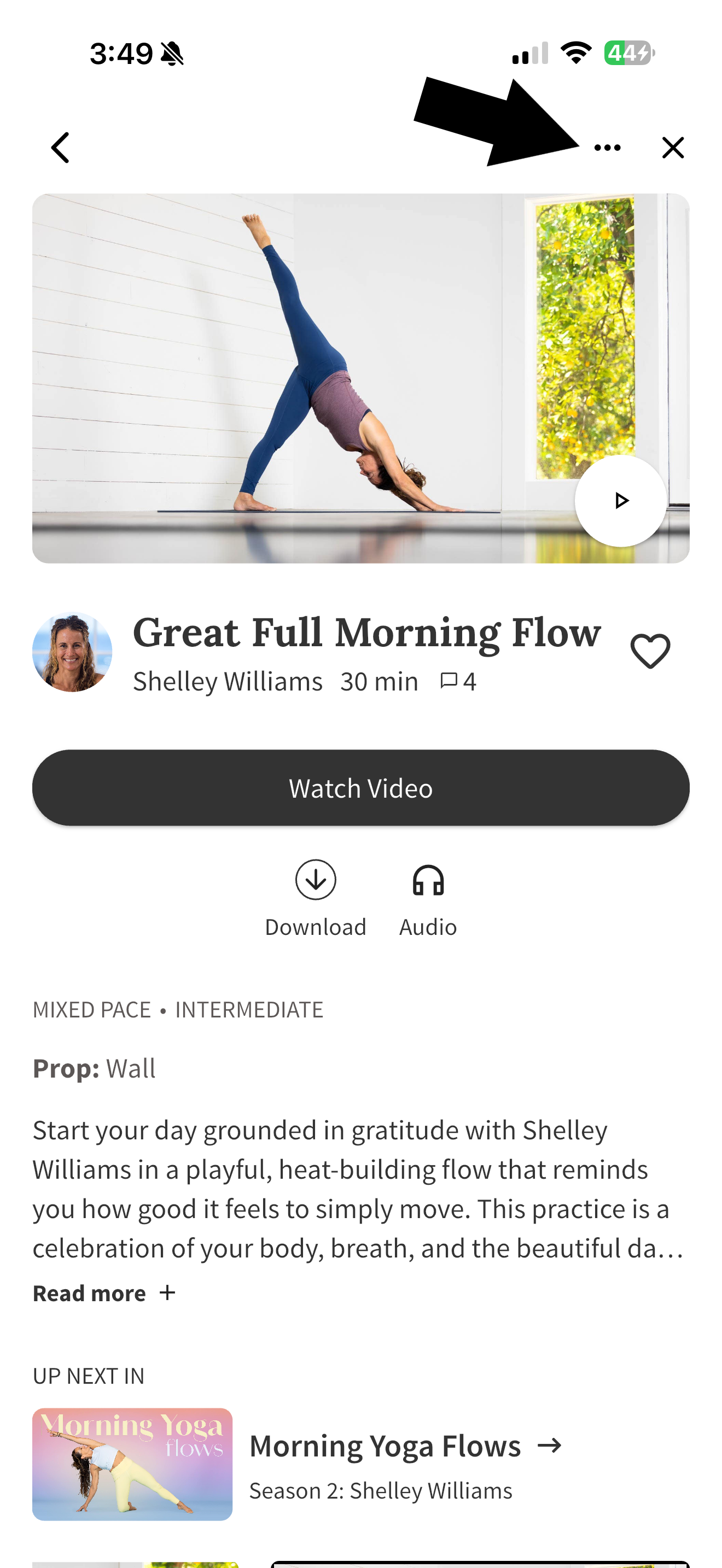
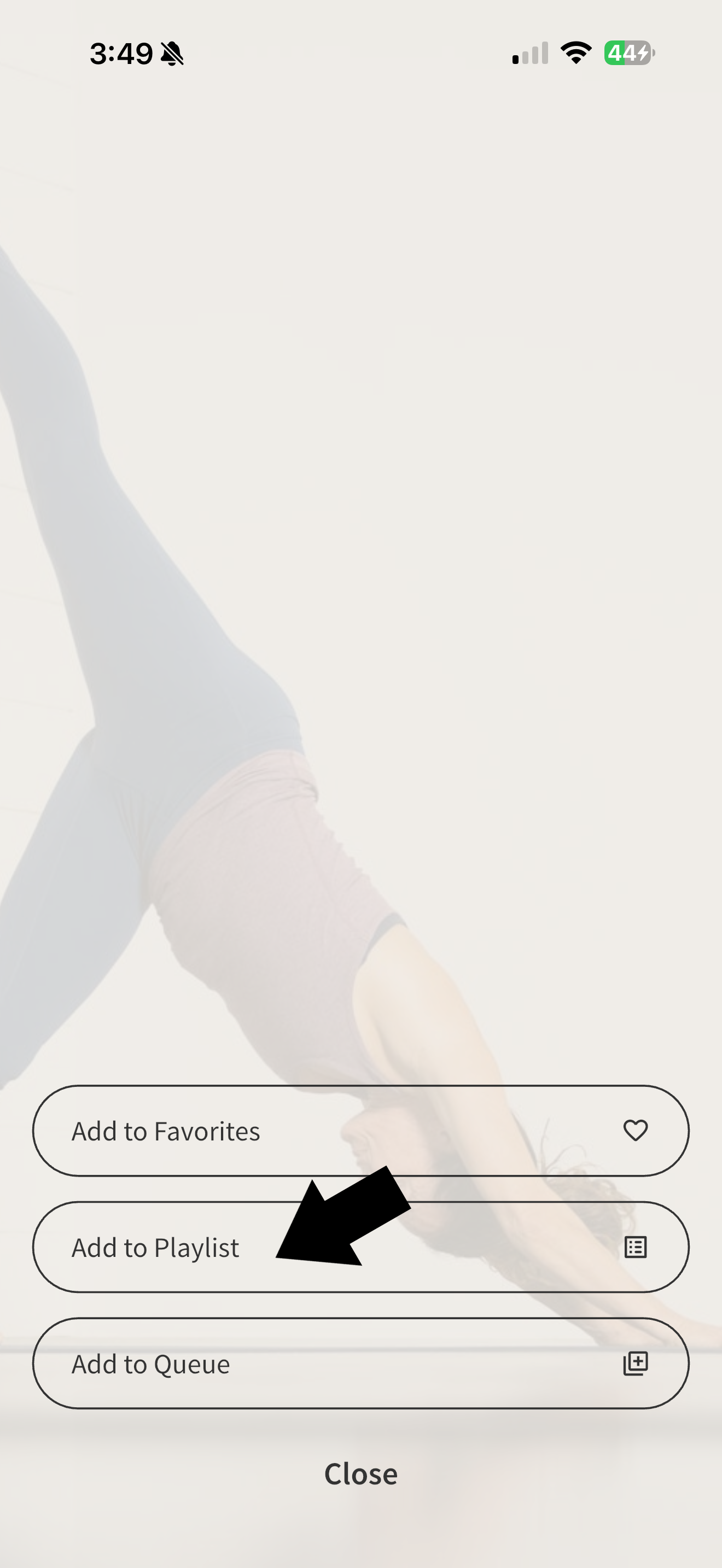
Navigate to the Yoga class you want to add, and tap on the three dots above the class to add it to a Playlist.
How to Remove Playlists on the Mobile App
Navigate to your Playlists in the Library and swipe left on the Yoga Playlist or video you want to remove. Click Delete.
Start building your custom Yoga playlists today and elevate your workout routine with ultimate streaming flexibility!